Skip Navigation or Skip to Content
Frame 2087327004
Not Sure Your HubSpot Is Working as Well as It Should?

Get a free 30-minute HubSpot review with honest insights and practical next steps.

DELIVERY MODULE 3 to 4 weeks

Aircall Implementation・Growth

Sets up Aircall for up to 15 users and 3 numbers with team routing, SMS through HubSpot Help Desk, up to 3 standard workflows, a live training session and a validation call.

Delivery module

AU$2,560
icons
time_icon
3 to 4 weeks

What this module actually does

Included

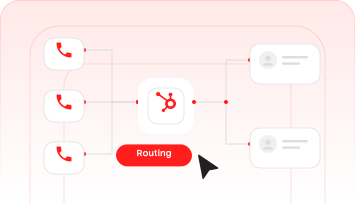
  • Calls route across up to 15 users and their teams, with business hours and overflow working.
  • Calls and SMS log to the right HubSpot records with the right call outcome.
  • Customers can text the business and the team replies from HubSpot Help Desk.
  • Missed calls and follow-ups create tasks or SMS automatically, and the team has had live training.

Not included

  • Advanced multi-team logic
  • Skill-based routing
  • Multi-level phone menus
  • AI Assist
  • Custom reporting frameworks
  • Custom API integrations
  • More than 3 workflows
  • More than 3 numbers
  • More than 15 users
  • Data migration projects
  • Ongoing support beyond one validation call

How it runs

01
Kickoff
We confirm exactly what the module needs to do and sort out the access we need, so there's no delay once work starts.
02
Build
We build and configure the module in your portal, working from the scope we agreed.
03
Handover
You get it tested, documented, and walked through with your team.

What we need from you

  • An Aircall account on your chosen plan, with King Henry added as an Admin, needed before Kickoff
  • List of up to 15 team members who need Aircall access (names, email addresses, roles) and which team each belongs to, needed before User Setup
  • Business registration proof for new numbers, or a recent bill from your current provider for each number you are porting, needed before Number Setup
  • Business hours for each number, and what should happen after hours and when nobody answers, needed before Routing and Queue Setup
  • Wording for your phone menu, after-hours message and voicemail greetings, needed before Routing and Queue Setup
  • Partner Admin access to HubSpot and which records should log calls (contacts, companies, deals), needed before HubSpot Integration
  • A HubSpot subscription that includes Help Desk, and which number customers should text, needed before Help Desk SMS Connection
  • A HubSpot Professional subscription, the trigger for each of the 3 workflows and the wording for the automated SMS, needed before Workflow Automations
  • Preferred date and attendees for the live training session, needed before Training

A part of your HubSpot portal that's built, tested, and documented, plus a handover so your team knows how to use it.

The timeline shown above is a rough guide for this module, counted in weeks from the point scope and access are confirmed. It moves with how quickly your team can give us access and sign-offs.

Yes. Modules are often bundled into one Build Project, so if you need more than one, we scope them together.

Need Help? We're Just a Message Away

Want this module in your scope?

Enquire and we'll come back with timing and how it fits with everything else you need.

SEND A MESSAGE

Got a question?
Ask away.

Got a question, an idea, or something in HubSpot that isn’t behaving? Send us a note and we’ll give you a straight answer even if the answer isn’t us.

overlay bg

A HubSpot Studio.

We diagnose, build, and run HubSpot for businesses that need it done properly.

© King Henry. Crafted in Australia. All rights reserved.