
Skip Navigation or Skip to Content
Frame 2087327004
Not Sure Your HubSpot Is Working as Well as It Should?

Get a free 30-minute HubSpot review with honest insights and practical next steps.

overlay bg

EVERYTHING YOU NEED TO GET STARTED

Sequence Workflow Actions
Setup Docs

Below is the full documentation for installing, configuring, using and uninstalling Sequence Workflow Actions.

1.

Install the app

Install the app from the HubSpot App Marketplace and authorise via OAuth. No developer credentials are needed on your side.

  1. Open the HubSpot App Marketplace and search for Sequence Workflow Actions.
  2. Click Install on the listing page.
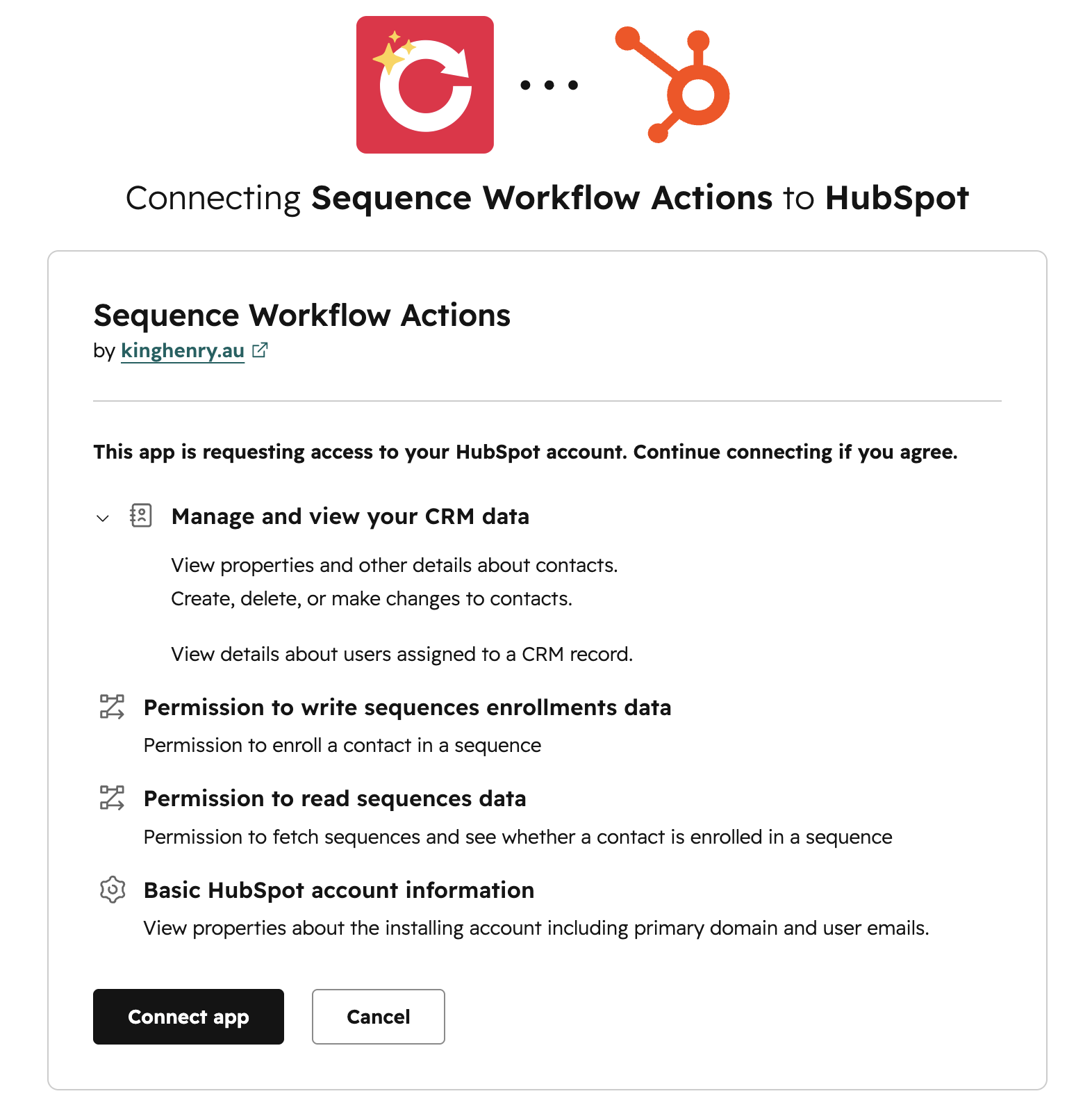
  3. You will be redirected to the King Henry authorisation page.
  4. Review the requested permissions and click Connect app.
  5. After approving, you are redirected back to HubSpot. The app will appear in Settings → Integrations → Connected Apps.
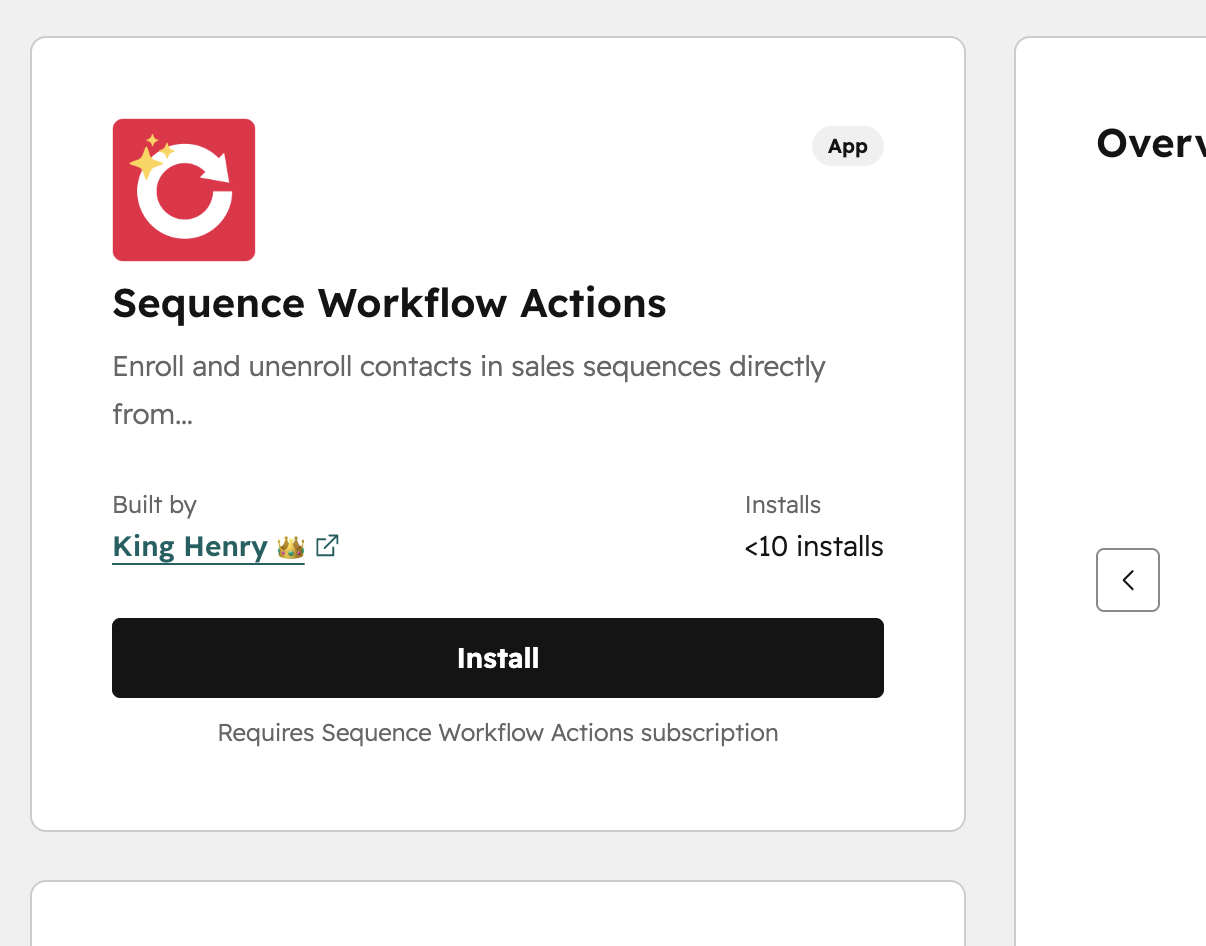
Sequence Workflow Actions App Listing Page
Sequence Workflow Actions App Auth Screen
Screenshot 2026-05-27 171619
2.

Open a contact-based workflow

Go to Automation, then Workflows, and open a contact-based workflow, or create a new one.

3.

Add the action from Connected Apps

Add the action from the Connected Apps section.

  1. Click the + button to add a new action.
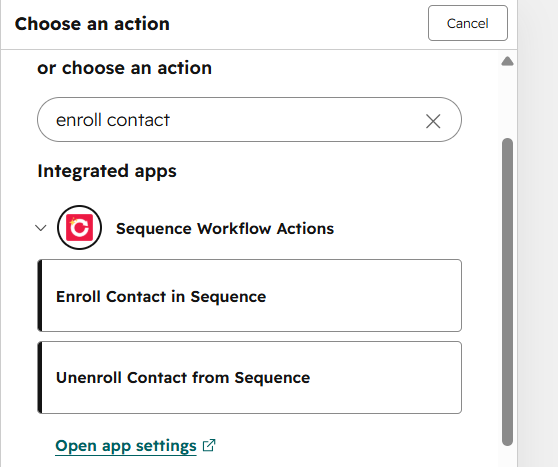
  2. Search for Enroll in Sequence or Unenroll from Sequence, or scroll to the Connected apps section.
  3. Click the action you want to open its configuration panel.
Screenshot 2026-05-27 165636-1
4.

Configure enrolling

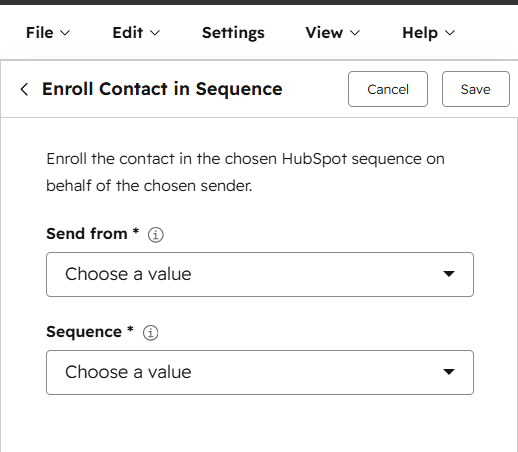
For enrolling, pick the Sequence and Sender from the dropdowns. Populate the Sender field first, the sequence list filters to sequences that sender has access to.

Screenshot 2026-05-27 170013
5.

Configure unenrolling

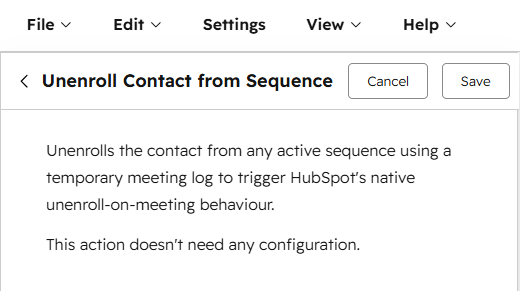
For unenrolling, no configuration fields are needed. The action automatically identifies the contact's active sequence enrollment and triggers unenrollment.

Screenshot 2026-05-27 170707
6.

Use output fields downstream

Reference the output fields, success status, enrollment ID, and error message, downstream using If/then branches or Set property value actions.

7.

Disconnect the app

Disconnecting revokes the OAuth authorisation token between your HubSpot portal and King Henry. Active workflows using the action will stop working until reconnected.

  1. Go to Settings → Integrations → Connected Apps.
  2. Find Sequence Workflow Actions in the list.
  3. Click Actions → Disconnect.
  4. Confirm the disconnection in the dialog that appears.
8.

Uninstall the app

Uninstalling fully removes the app from your HubSpot portal, including the OAuth connection.

  1. Go to Settings → Integrations → Connected Apps.
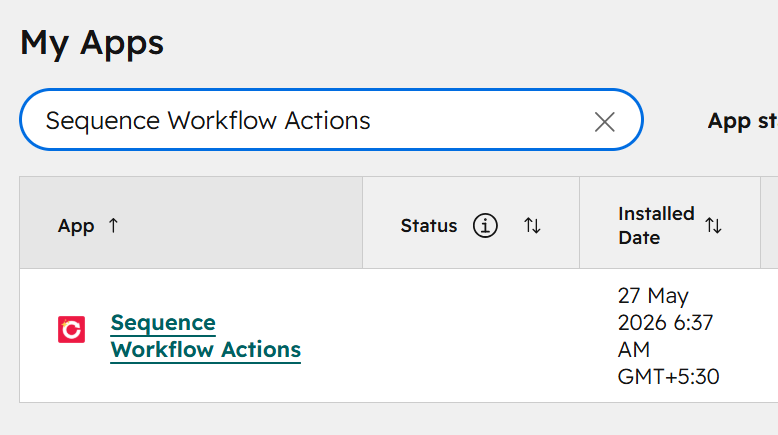
  2. Find Sequence Workflow Actions in the list.
  3. Click Actions → Uninstall.
  4. Read the confirmation message and click Uninstall to confirm.

Troubleshooting

Most issues come down to sender access, an existing enrolment, or portal tier.

The action shows an error in workflow history

  • Check the error_message output field in the workflow enrollment history.
  • Confirm the sender has access to the selected sequence.
  • Check the contact is not already enrolled in another sequence, HubSpot only allows one active enrollment at a time.
  • Confirm your portal is on Sales Hub Professional or Service Hub Professional or higher.

The sequence dropdown is empty

  • Select a sender first, the sequence list depends on the sender field being populated.
  • Confirm the selected sender has at least one sequence available to them.

A temporary meeting appeared on the contact

  • This is expected during the unenroll action.
  • The meeting is automatically deleted within approximately 10 seconds.
  • If it persists beyond 30 seconds, contact support.

I cannot find the action in the workflow editor

  • Check that the app is installed in Settings → Integrations → Connected Apps.
  • The actions only appear in contact-based workflows.

Support

We're more than happy to help here we can.

Need help?

Need help with Sequence Workflow Actions? Email support@kinghenry.au.

When contacting support, include:

  • Your HubSpot portal ID
  • The workflow name and the action step that is failing
  • The error_message output from the workflow action history
  • A short description of what you expected to happen

Who this is for

This app is ideal for HubSpot users who want to automate sequence enrollment and unenrollment without manual intervention or Sales Hub Enterprise.
  • Sales teams on Sales Hub Professional
  • Service teams on Service Hub Professional
  • RevOps and operations teams
  • Agencies managing HubSpot portals for clients

Stuck on a step? Get in touch.

Email support@kinghenry.au with your portal ID, the workflow and step name, and the error_message output. We'll get back to you as fast as we can.

overlay bg

A HubSpot Studio.

We diagnose, build, and run HubSpot for businesses that need it done properly.

© King Henry. Crafted in Australia. All rights reserved.